Một số đoạn code thông dụng dành cho wordpress
Trong quá trình tùy chỉnh website WordPress, không ít lần bạn gặp phải tình huống thiếu tính năng hoặc theme chưa hỗ trợ sẵn một chức năng nào đó. Thay vì cài thêm plugin, nhiều trường hợp chỉ cần thêm vài dòng code vào file functions.php là giải quyết được vấn đề gọn gàng. Bài viết dưới đây tổng hợp các đoạn code WordPress thông dụng nhất, bao gồm cả code dành riêng cho WooCommerce và theme Flatsome, giúp bạn mở rộng tính năng website nhanh chóng mà không cần plugin phức tạp. Nếu cần hỗ trợ thêm, bạn có thể ghé qua trang hỗ trợ để được tư vấn trực tiếp.

Các đoạn code WordPress thông dụng cho functions.php
Code tự động lưu ảnh từ website khác về server khi copy bài viết
Khi bạn copy bài viết từ nguồn khác, ảnh vẫn trỏ về server gốc. Đoạn code dưới đây tự động tải ảnh về server của bạn và thay thế URL ngay lúc lưu bài, giúp tránh lỗi ảnh bị mất khi web nguồn xóa ảnh.
class Auto_Save_Images{

    function __construct(){
        add_filter( 'content_save_pre',array($this,'post_save_images') );
    }

    function post_save_images( $content ){
        if( ($_POST['save'] || $_POST['publish'] )){
            set_time_limit(240);
            global $post;
            $post_id=$post->ID;
            $preg=preg_match_all('/<img.*?src="(.*?)"/',stripslashes($content),$matches); if($preg){ foreach($matches[1] as $image_url){ if(empty($image_url)) continue; $pos=strpos($image_url,$_SERVER['HTTP_HOST']); if($pos===false){ $res=$this->save_images($image_url,$post_id);
                        $replace=$res['url'];
                        $content=str_replace($image_url,$replace,$content);
                    }
                }
            }
        }
        remove_filter( 'content_save_pre', array( $this, 'post_save_images' ) );
        return $content;
    }

    function save_images($image_url,$post_id){
        $file=file_get_contents($image_url);
        $post = get_post($post_id);
        $posttitle = $post->post_title;
        $postname = sanitize_title($posttitle);
        $im_name = "$postname-$post_id.jpg";
        $res=wp_upload_bits($im_name,'',$file);
        $this->insert_attachment($res['file'],$post_id);
        return $res;
    }

    function insert_attachment($file,$id){
        $dirs=wp_upload_dir();
        $filetype=wp_check_filetype($file);
        $attachment=array(
            'guid'=>$dirs['baseurl'].'/'._wp_relative_upload_path($file),
            'post_mime_type'=>$filetype['type'],
            'post_title'=>preg_replace('/\.[^.]+$/','',basename($file)),
            'post_content'=>'',
            'post_status'=>'inherit'
        );
        $attach_id=wp_insert_attachment($attachment,$file,$id);
        $attach_data=wp_generate_attachment_metadata($attach_id,$file);
        wp_update_attachment_metadata($attach_id,$attach_data);
        return $attach_id;
    }
}
new Auto_Save_Images();
Code chuyển sản phẩm không có giá thành “Liên hệ” trong WooCommerce
Rất hữu ích cho các website bán hàng theo yêu cầu hoặc sản phẩm cần báo giá riêng. Thêm đoạn code này để thay thế ô giá trống bằng nút hoặc chữ “Liên hệ”.
add_filter('woocommerce_empty_price_html', 'custom_call_for_price');
function custom_call_for_price()
{ return 'Liên hệ'; }
Code bỏ nút “Thêm vào giỏ hàng” trong WooCommerce
Khi muốn biến website WooCommerce thành trang catalogue sản phẩm, không cho phép mua trực tiếp, hãy dùng đoạn code này để ẩn nút thêm vào giỏ hàng ở cả trang danh sách lẫn trang chi tiết sản phẩm.
remove_action( 'woocommerce_after_shop_loop_item', 'woocommerce_template_loop_add_to_cart');
remove_action( 'woocommerce_single_product_summary', 'woocommerce_template_single_add_to_cart', 30 );
Code bỏ tab đánh giá trong trang chi tiết sản phẩm
add_filter( 'woocommerce_product_tabs', 'wcs_woo_remove_reviews_tab', 98 );
function wcs_woo_remove_reviews_tab($tabs) {
    unset($tabs['reviews']);
    return $tabs;
}
Code dịch những chuỗi cứng đầu trong WooCommerce
Một số chuỗi văn bản trong WooCommerce không thể dịch bằng file ngôn ngữ thông thường. Đoạn code dưới đây cho phép bạn thay thế trực tiếp bất kỳ chuỗi nào bằng bản dịch tùy chỉnh.
function ra_change_translate_text_multiple( $translated ) {
    $text = array(
        'Continue Shopping' => 'Tiếp tục mua hàng',
        'Update cart'       => 'Cập nhật giỏ hàng',
        'Apply Coupon'      => 'Áp dụng mã ưu đãi',
        'WooCommerce'       => 'Quản lý bán hàng',
    );
    $translated = str_ireplace( array_keys($text), $text, $translated );
    return $translated;
}
add_filter( 'gettext', 'ra_change_translate_text_multiple', 20 );
Code thêm tab mới trong trang sản phẩm WooCommerce
add_filter( 'woocommerce_product_tabs', 'woo_new_product_tab' );
function woo_new_product_tab( $tabs ) {
    $tabs['test_tab'] = array(
        'title'    => __( 'Lịch trình chi tiết', 'woocommerce' ),
        'priority' => 50,
        'callback' => 'woo_new_product_tab_content'
    );
    return $tabs;
}
function woo_new_product_tab_content() {
    echo "Nội dung tab tùy chỉnh";
}
Code xóa slug featured_item trong Portfolio
Đoạn code này loại bỏ phần slug featured_item khỏi URL, giúp đường dẫn portfolio gọn hơn và thân thiện với SEO hơn.
function ah_remove_custom_post_type_slug( $post_link, $post, $leavename ) {
    if ( ! in_array( $post->post_type, array( 'featured_item' ) ) || 'publish' != $post->post_status )
        return $post_link;
    $post_link = str_replace( '/' . $post->post_type . '/', '/', $post_link );
    return $post_link;
}
add_filter( 'post_type_link', 'ah_remove_custom_post_type_slug', 10, 3 );

function ah_parse_request_tricksy( $query ) {
    if ( ! $query->is_main_query() ) return;
    if ( 2 != count( $query->query ) || ! isset( $query->query['page'] ) ) return;
    if ( ! empty( $query->query['name'] ) )
        $query->set( 'post_type', array( 'post', 'featured_item', 'page' ) );
}
add_action( 'pre_get_posts', 'ah_parse_request_tricksy' );
Code xóa slug featured_item_category trong Portfolio
Tương tự như trên nhưng áp dụng cho taxonomy category của Portfolio, giúp xóa phần featured_item_category khỏi URL danh mục.
add_filter('request', 'rudr_change_term_request', 1, 1 );
function rudr_change_term_request($query){
    $tax_name = 'featured_item_category';
    if( $query['attachment'] ) :
        $include_children = true;
        $name = $query['attachment'];
    else:
        $include_children = false;
        $name = $query['name'];
    endif;
    $term = get_term_by('slug', $name, $tax_name);
    if (isset($name) && $term && !is_wp_error($term)):
        if( $include_children ) {
            unset($query['attachment']);
            $parent = $term->parent;
            while( $parent ) {
                $parent_term = get_term( $parent, $tax_name);
                $name = $parent_term->slug . '/' . $name;
                $parent = $parent_term->parent;
            }
        } else {
            unset($query['name']);
        }
        $query[$tax_name] = $name;
    endif;
    return $query;
}

add_filter( 'term_link', 'rudr_term_permalink', 10, 3 );
function rudr_term_permalink( $url, $term, $taxonomy ){
    $taxonomy_name = 'featured_item_category';
    $taxonomy_slug = 'featured_item_category';
    if ( strpos($url, $taxonomy_slug) === FALSE || $taxonomy != $taxonomy_name ) return $url;
    $url = str_replace('/' . $taxonomy_slug, '', $url);
    return $url;
}
Code hiển thị tất cả category của một custom post type
<?php
$terms = get_terms( 'nameofyourregisteredtaxonomygoeshere' );
$count = count( $terms );
if ( $count > 0 ) {
echo '<h3>Total Projects: '. $count . '</h3>';
echo '<ul>';
foreach ( $terms as $term ) {
    echo '<li>';
    echo '<a href="' . esc_url( get_term_link( $term ) ) . '" alt="'. esc_attr( sprintf( __( 'View all post filed under %s', 'my_localization_domain' ), $term->name ) ) . '">' . $term->name . '</a>';
    echo '</li>';


}
echo '</ul>';
}
?>
Code hiển thị custom taxonomy của một sản phẩm WooCommerce
global $product;
$terms = get_the_terms( $product->ID, 'thuong_hieu' );
foreach($terms as $term) {
    echo 'Thương hiệu: '.$term->name.'';
}
Code thay dấu […] bằng dấu … trong short description
function new_excerpt_more( $excerpt ) {
    return str_replace( '[...]', '...', $excerpt );
}
add_filter( 'excerpt_more', 'new_excerpt_more' );
Code bỏ hoàn toàn dấu […] trong short description (bao gồm WooCommerce)
function new_excerpt_more( $more ) {
    return '';
}
add_filter('excerpt_more', 'new_excerpt_more');
Code cho phép tìm kiếm mặc định quét được nội dung trong custom field
Mặc định WordPress chỉ tìm kiếm trong tiêu đề và nội dung bài viết. Đoạn code này mở rộng phạm vi tìm kiếm sang cả các custom field, rất hữu ích cho các website có nhiều meta data sản phẩm.
function cf_search_join( $join ) {
    global $wpdb;
    if ( is_search() ) {
        $join .=' LEFT JOIN '.$wpdb->postmeta. ' ON '. $wpdb->posts . '.ID = ' . $wpdb->postmeta . '.post_id ';
    }
    return $join;
}
add_filter('posts_join', 'cf_search_join' );

function cf_search_where( $where ) {
    global $pagenow, $wpdb;
    if ( is_search() ) {
        $where = preg_replace(
            "/\(\s*".$wpdb->posts.".post_title\s+LIKE\s*(\'[^\']+\')\s*\)/",
            "(".$wpdb->posts.".post_title LIKE $1) OR (".$wpdb->postmeta.".meta_value LIKE $1)", $where );
    }
    return $where;
}
add_filter( 'posts_where', 'cf_search_where' );

function cf_search_distinct( $where ) {
    global $wpdb;
    if ( is_search() ) { return "DISTINCT"; }
    return $where;
}
add_filter( 'posts_distinct', 'cf_search_distinct' );
Code tắt tìm kiếm theo nội dung, chỉ tìm kiếm theo tiêu đề
Khi kết quả tìm kiếm trả về quá nhiều bài viết không liên quan vì từ khóa xuất hiện trong nội dung, hãy dùng đoạn code dưới đây để giới hạn tìm kiếm chỉ trong tiêu đề bài viết.
function __search_by_title_only( $search, &$wp_query ) {
    global $wpdb;
    if ( empty( $search ) ) return $search;
    $q = $wp_query->query_vars;
    $n = ! empty( $q['exact'] ) ? '' : '%';
    $search = $searchand = '';
    foreach ( (array) $q['search_terms'] as $term ) {
        $term = esc_sql( like_escape( $term ) );
        $search .= "{$searchand}($wpdb->posts.post_title LIKE '{$n}{$term}{$n}')";
        $searchand = ' AND ';
    }
    if ( ! empty( $search ) ) {
        $search = " AND ({$search}) ";
        if ( ! is_user_logged_in() )
            $search .= " AND ($wpdb->posts.post_password = '') ";
    }
    return $search;
}
add_filter( 'posts_search', '__search_by_title_only', 500, 2 );
Code thay đổi giá toàn bộ sản phẩm trong WooCommerce
Đây là công cụ hữu ích khi bạn cần cập nhật hàng loạt giá sản phẩm. Chỉnh sửa giá trị 3500000 thành mức giá mong muốn trước khi chạy. Chạy một lần với _sale_price để đổi giá khuyến mãi, chạy lần hai với _regular_price để đổi giá gốc.
function update_products_sale_price(){
    $args = array(
        'posts_per_page' => -1,
        'post_type'      => 'product',
        'post_status'    => 'publish'
    );
    $products = get_posts( $args );
    foreach ( $products as $key => $value ) {
        $product_id = $value->ID;
        $sale_price = get_post_meta($product_id, '_sale_price', true);
        if (empty($sale_price)) $sale_price = 0;
        $price = get_post_meta($product_id, '_regular_price', true);
        if ($sale_price < $price)
            update_post_meta($product_id, '_sale_price', '3500000');
    }
}
update_products_sale_price();
Ngoài ra, nếu bạn muốn giỏ hàng chỉ chấp nhận một sản phẩm tại một thời điểm (sản phẩm mới thêm vào sẽ thay thế sản phẩm cũ), hãy dùng đoạn code sau:
add_filter( 'woocommerce_add_cart_item_data', 'remove_before_add_to_cart' );
function remove_before_add_to_cart( $cart_item_data ) {
    WC()->cart->empty_cart();
    return $cart_item_data;
}
Code di chuyển giá sản phẩm có biến thể lên đầu trang sản phẩm
Mặc định WooCommerce hiển thị giá sản phẩm biến thể sau khi người dùng chọn thuộc tính. Đoạn code này giúp hiển thị khoảng giá ngay từ đầu, cải thiện trải nghiệm người dùng đáng kể.
add_action( 'woocommerce_single_product_summary', 'move_single_product_variable_price_location', 2 );

function move_single_product_variable_price_location() {
    global $product;

    // Variable product only
    if( $product->is_type('variable') ):

    // removing the price of variable products
    remove_action( 'woocommerce_single_product_summary', 'woocommerce_template_single_price', 10 );

    // Add back the relocated (customized) price of variable products
    add_action( 'woocommerce_single_product_summary', 'custom_single_product_variable_prices', 10 );

    endif;
}


function custom_single_product_variable_prices(){
    global $product;

    // Main Price
    $prices = array( $product->get_variation_price( 'min', true ), $product->get_variation_price( 'max', true ) );
    $price = $prices[0] !== $prices[1] ? sprintf( __( 'From: %1$s', 'woocommerce' ), wc_price( $prices[0] ) ) : wc_price( $prices[0] );

    // Sale Price
    $prices = array( $product->get_variation_regular_price( 'min', true ), $product->get_variation_regular_price( 'max', true ) );
    sort( $prices );
    $saleprice = $prices[0] !== $prices[1] ? sprintf( __( 'From: %1$s', 'woocommerce' ), wc_price( $prices[0] ) ) : wc_price( $prices[0] );

    if ( $price !== $saleprice && $product->is_on_sale() ) {
        $price = '<del>' . $saleprice . $product->get_price_suffix() . '</del> <ins>' . $price . $product->get_price_suffix() . '</ins>';
    }

    ?>
    <style>
        div.woocommerce-variation-price,
        div.woocommerce-variation-availability,
        div.hidden-variable-price {
            height: 0px !important;
            overflow:hidden;
            position:relative;
            line-height: 0px !important;
            font-size: 0% !important;
            visibility: hidden !important;
        }
    </style>
    <script>
        jQuery(document).ready(function($) {
            // When variable price is selected by default
            setTimeout( function(){
                if( 0 < $('input.variation_id').val() && null != $('input.variation_id').val() ){
                    if($('p.availability'))
                        $('p.availability').remove();

                    $('p.price').html($('div.woocommerce-variation-price > span.price').html()).append('<p class="availability">'+$('div.woocommerce-variation-availability').html()+'</p>');
                    console.log($('div.woocommerce-variation-availability').html());
                }
            }, 300 );

            // On live variation selection
            $('select').blur( function(){
                if( 0 < $('input.variation_id').val() && null != $('input.variation_id').val() ){
                    if($('.price p.availability') || $('.price p.stock') )
                        $('p.price p').each(function() {
                            $(this).remove();
                        });

                    $('p.price').html($('div.woocommerce-variation-price > span.price').html()).append('<p class="availability">'+$('div.woocommerce-variation-availability').html()+'</p>');
                    console.log($('input.variation_id').val());
                } else {
                    $('p.price').html($('div.hidden-variable-price').html());
                    if($('p.availability'))
                        $('p.availability').remove();
                    console.log('NULL');
                }
            });
        });
    </script>
    <?php

    echo '<p class="price">'.$price.'</p>
    <div class="hidden-variable-price" >'.$price.'</div>';
}
Code hiển thị custom field ở trang taxonomy WooCommerce
add_action('woocommerce_after_main_content','thong_tin');
function thong_tin(){
    $term = get_queried_object();
    $content = get_field('bottom_content', $term);
    if(!empty($content)){
        echo $content;
    }
}
Các đoạn code hay dành riêng cho theme WordPress Flatsome
Nếu bạn đang sử dụng theme Flatsome, đây là bộ code tùy chỉnh giúp bạn khai thác tốt hơn các tính năng của theme này. Bạn có thể khám phá thêm các theme WordPress chất lượng tại kho theme của ThemeWP.vn.
Thay chữ “Tài khoản” trên menu thành “Xin chào, tên User”
Vào file flatsome/template-parts/header/partials/element-account.php, tìm chuỗi My account và thay bằng đoạn code sau:
<?php if ( is_user_logged_in() ) {

    $user_info = wp_get_current_user();

    $user_last_name = $user_info->user_lastname;

    printf( __( ‘Xin chào, %s’, ‘wpdance’ ), $user_last_name );

} ?>
Khắc phục lỗi lệch khung web khi có hiệu ứng trên mobile
Thêm đoạn CSS này vào file style hoặc phần Custom CSS của theme để ngăn tình trạng tràn ngang màn hình trên thiết bị di động:
html, body { overflow-x: hidden; }Tăng độ dài mô tả trong trang category bài viết
Vào đường dẫn themes/flatsome/template-parts/posts/archive-list.php, thêm thuộc tính excerpt_length="100" vào trong shortcode hiển thị excerpt. Thay số 100 thành giá trị phù hợp với thiết kế của bạn.
Chuyển thuộc tính sản phẩm từ tab “Thông tin bổ sung” lên dưới nút Add to Cart
// Xóa tab thông tin bổ sung
add_filter( 'woocommerce_product_tabs', 'remove_additional_information_tab', 100, 1 );
function remove_additional_information_tab( $tabs ) {
    unset($tabs['additional_information']);
    return $tabs;
}

// Thêm thông tin bổ sung dưới nút Add to Cart
add_action( 'woocommerce_single_product_summary', 'additional_info_under_add_to_cart', 35 );
function additional_info_under_add_to_cart() {
    global $product;
    if ( $product && ( $product->has_attributes() || apply_filters( 'wc_product_enable_dimensions_display', $product->has_weight() || $product->has_dimensions() ) ) ) {
        wc_display_product_attributes( $product );
    }
}
Gọi mô tả danh mục sản phẩm ra ngoài trang category
add_action( ‘woocommerce_after_subcategory_title’, ‘woovn_add_product_description’, 12);

function woovn_add_product_description ($category) {

$cat_id = $category->term_id;

$prod_term = get_term($cat_id,’product_cat’);

$description= $prod_term->description;

echo ‘<p>’.$description.'</p>’;

?>

<button href=”<?php echo get_the_permalink(); ?>” class=”button mb-0″>

                            <?php _e( ‘Read more’, ‘woocommerce’ ); ?>

                        </button>

<?php

}

?>
Tắt Responsive cho theme Flatsome
Trong một số trường hợp đặc biệt, nếu bạn không muốn sử dụng responsive mặc định của Flatsome, thêm đoạn code này vào functions.php:
add_action('init' , 'disable_flatsome_viewport_meta' , 15 );
function disable_flatsome_viewport_meta() {
    remove_action( 'wp_head', 'flatsome_viewport_meta', 1 );
}
Ẩn thông báo đăng ký của theme Flatsome
add_action( 'init', 'hide_notice' );
function hide_notice() {
    remove_action( 'admin_notices', 'flatsome_maintenance_admin_notice' );
}
Ngăn các block trong UX Builder tạo HTML khi chọn hidden
add_filter( 'do_shortcode_tag', 'add_filter_shortcode_ux_visibility', 10, 3 );
function add_filter_shortcode_ux_visibility( $output, $tag, $attr ) {
    if( !isset($attr['visibility']) ) return $output;
    if($attr['visibility'] == 'hidden') return;
    if( ($attr['visibility'] == 'hide-for-medium') && wp_is_mobile() ) return;
    elseif( ($attr['visibility'] == 'show-for-small') && !wp_is_mobile() ) return;
    elseif( ($attr['visibility'] == 'show-for-medium') && !wp_is_mobile() ) return;
    elseif( ($attr['visibility'] == 'hide-for-small') && wp_is_mobile() ) return;
    return $output;
}
Thêm text tùy chọn vào sau giá sản phẩm WooCommerce
Ví dụ điển hình là thêm ghi chú “(Chưa bao gồm VAT)” sau giá, chỉ hiển thị trên trang sản phẩm đơn lẻ:
add_filter( 'woocommerce_get_price_html', 'devvn_price_prefix_suffix', 99, 2 );
function devvn_price_prefix_suffix( $price, $product ){
    if(is_singular('product')) {
        $price = $price . ' (Chưa bao gồm VAT)';
    }
    return apply_filters( 'woocommerce_get_price', $price );
}
Cách sử dụng các đoạn code WordPress trên
Cách thêm code vào WordPress rất đơn giản. Bạn vào Appearance > Theme File Editor, mở file functions.php của theme đang dùng, dán đoạn code cần thiết vào cuối file rồi lưu lại. Tuy nhiên, tuyệt đối không chỉnh sửa trực tiếp trên theme gốc vì khi theme cập nhật, toàn bộ thay đổi sẽ bị mất. Thay vào đó, hãy tạo hoặc sử dụng child theme để chỉnh sửa an toàn và bền vững.
Nếu website của bạn đang chạy trên hosting tốc độ cao, việc thêm code vào functions.php cũng có thể thực hiện trực tiếp qua trình quản lý file trong cPanel mà không cần vào giao diện WordPress. Cần tư vấn thêm về việc áp dụng các đoạn code này, bạn có thể liên hệ với ThemeWP.vn để được hỗ trợ.
FAQ về code WordPress thông dụng
Thêm code vào functions.php có làm hỏng website không?
Nếu code có lỗi cú pháp, website có thể hiển thị màn hình trắng (White Screen of Death). Để an toàn, hãy luôn backup file functions.php trước khi chỉnh sửa, và sử dụng child theme thay vì sửa trực tiếp theme gốc.
Có thể dùng plugin thay vì thêm code vào functions.php không?
Được. Bạn có thể dùng plugin Code Snippets để thêm các đoạn code PHP trực tiếp từ giao diện quản trị mà không cần chỉnh sửa file. Đây là giải pháp an toàn hơn cho người dùng không quen chỉnh sửa file.
Các đoạn code WooCommerce trên có tương thích với phiên bản mới nhất không?
Các hook và filter như woocommerce_empty_price_html, woocommerce_product_tabs, woocommerce_get_price_html đều là API ổn định của WooCommerce và tương thích với các phiên bản mới nhất hiện tại. Tuy nhiên, với các đoạn code sử dụng JavaScript (như code di chuyển giá biến thể), nên kiểm tra lại sau mỗi lần cập nhật lớn của WooCommerce.
Các code Flatsome trên hoạt động với phiên bản Flatsome mới nhất không?
Phần lớn các hook và action của Flatsome như flatsome_viewport_meta, flatsome_maintenance_admin_notice vẫn được giữ nguyên qua các phiên bản. Tuy nhiên, với các thay đổi liên quan đến cấu trúc file template, nên kiểm tra lại đường dẫn file sau khi update theme.
Làm thế nào để xóa một đoạn code đã thêm vào functions.php?
Đơn giản là mở lại file functions.php, xóa đoạn code bạn đã thêm và lưu lại. Nếu website bị lỗi trắng, hãy kết nối qua FTP hoặc File Manager trong cPanel để truy cập và chỉnh sửa file trực tiếp.
Code tự động lưu ảnh có ảnh hưởng đến hiệu suất server không?
Có thể. Đoạn code này gọi file_get_contents() để tải ảnh về server mỗi khi lưu bài viết. Nếu bài viết chứa nhiều ảnh hoặc kết nối đến server bên ngoài chậm, thời gian lưu bài sẽ lâu hơn. Đây là lý do đoạn code đã đặt set_time_limit(240) để tránh timeout.
Bài viết cùng chủ đề:

Thông báo nâng cấp hệ thống đăng nhập

Thông báo tạm ngưng chương trình Đại lý từ ngày 01/09/2026

Bảo mật hiệu quả cho website WordPress
Hướng dẫn sử dụng Elementor từ A đến Z cho người mới
Top+ plugin miễn phí nên dùng cho WordPress

Top 10 Plugin SEO WordPress hiệu quả nhất hiện nay

ThemeWP.vn khuyến mãi lớn mua Theme tặng Theme, mua bao nhiêu, tặng bấy nhiêu

[BIG SALE] Mua theme tặng ngay Hosting NVME tốc độ cao miễn phí

Thông báo lịch nghỉ Tết Nguyên Đán 2026

“Đại Tiệc Cuối Năm 2025 – Bùng Nổ Ưu Đãi Theme, Plugin & Hosting!”

[Thông báo] Lịch nghỉ lễ Quốc khánh 2/9/2025

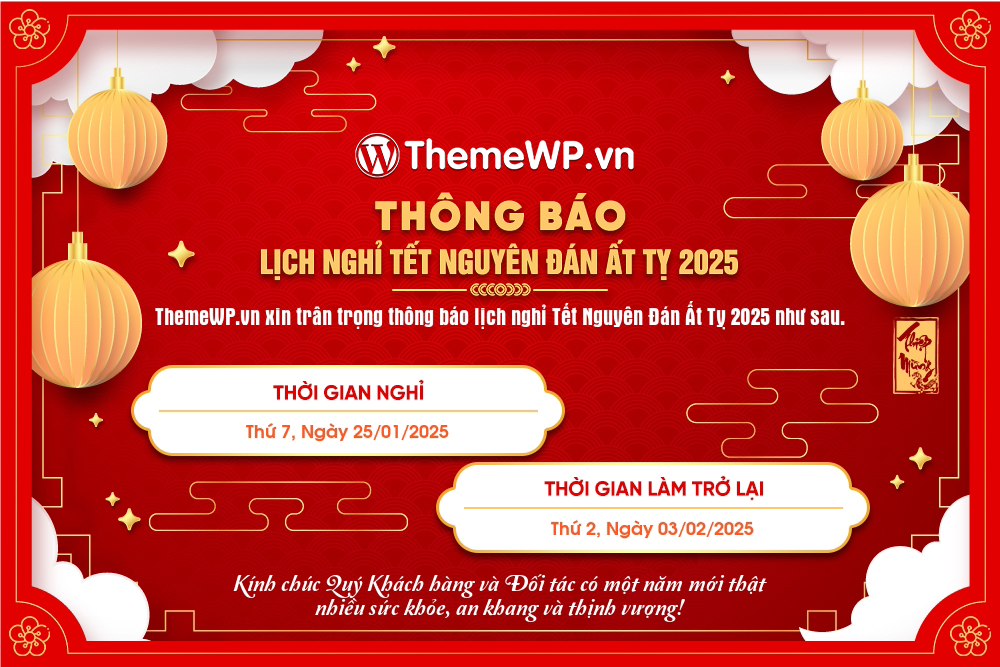
Thông báo lịch nghỉ Tết Nguyên Đán 2025